 Photos Recovery


Systweak Photos Recovery / How to Use Photos Recovery / Saving the Recovered Files
Saving the Recovered Files
Photos Recovery helps recover all supported photos, audio, and video files formats. You can recover and save photographs, audio, and video files at a location of your choice.
To recover lost files:
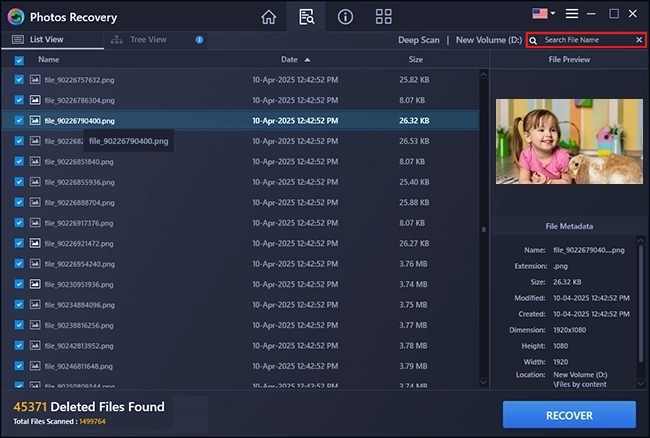
From the scan result window, select the photos, audio, or video files you want to recover. Narrow the search result by selecting only specific files or types of files to view or recover from the Search File Name section.
To search for specific files
Enter the name of the file in the Search File Name Text box  and click
  icon or press Enter.
To save all files
Check the root node in the left pane and then click Recover button present in the bottom right corner.

To save individual file(s)
- Select the file you wish to recover.
- Click the Recover button > select the location where you want to recover it > Select Folder and that's it.

Photos Recovery will now recover the selected photos, audio, or video files on the location/folder selected by you.
If the destination files have the same names, then the application will add a timestamp to the name and will save it.
The selected files will be recovered and saved at the specified location. Navigate to the destination to view files.