
Windows 11 24H2 support ends on October 13, 2026, and that deadline is a big part of why Microsoft’s next annual Windows 11 update exists. Windows 11 26H2 is coming, confirmed by Microsoft but without an exact release date yet, and it is shaping up to be a lighter update than the name suggests. Below is a full summary of Windows 11 26H2 features to come, when we can reasonably expect those features and what you genuinely need to do about it.
What Is Windows 11 26H2
Windows 11 26H2 is Microsoft’s annual second half feature update for 2026, delivered as a small enablement package rather than a full operating system reinstall. Because it shares the same underlying servicing branch as 25H2, installing it does not mean downloading a new operating system. What it is doing is turning on features that were previously delivered to your computer via monthly cumulative updates and updating your build number to 26300 series and resets the support clock.
How To Force Update Windows 11 24H2
When Is Windows 11 26H2 Coming Out
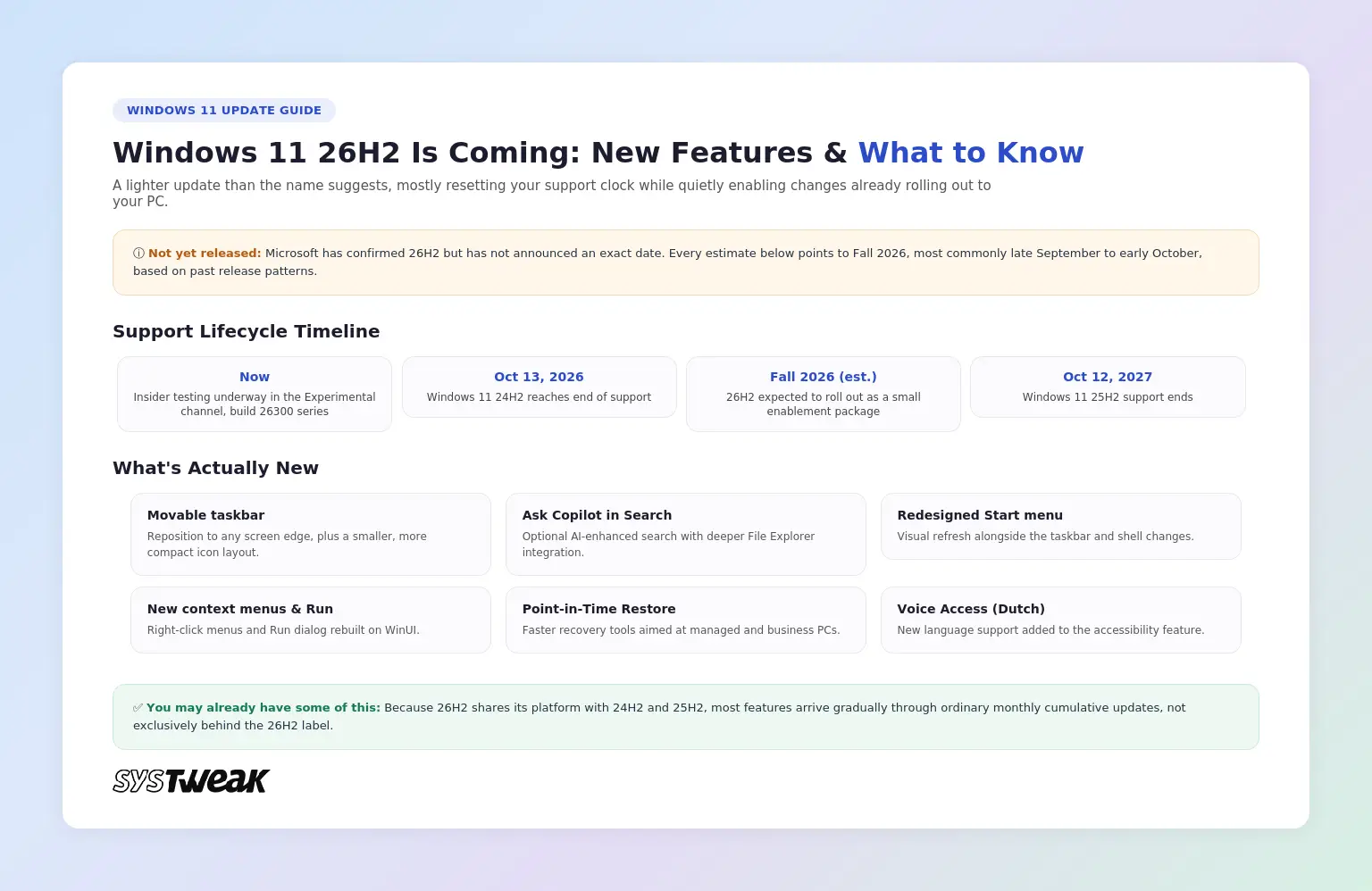
Microsoft has acknowledged that the update is coming; however, they have made no formal announcement regarding when it will be released. Every credible estimate points to Fall 2026, most commonly late September to early October, based on the pattern of recent Windows 11 releases. Windows Insiders already have early access to the build number 26H2, which rolled out to the Experimental channel sometime around June 2026. Treat any specific date beyond “Fall 2026” as an educated estimate until Microsoft confirms otherwise.
New Features and Changes in Windows 11 26H2
A movable, more flexible taskbar. You will be able to reposition the taskbar to any edge of the screen, top, bottom, left, or right, along with a smaller, more compact icon layout. This restores functionality that existed in Windows 10 and earlier, removed when Windows 11’s redesigned shell launched in 2021.
Ask Copilot in Search: An optional, AI enhanced replacement for classic Windows Search on the taskbar, with deeper File Explorer integration through a dockable side panel.
Redesigned context menus and a modern Run window: The Right Click Menu, and the Run Dialog will receive some updated visuals built on WinUI Microsoft’s latest UI Design System.
How To Enable AI Actions In Windows 11 File Explorer?
A refreshed Start menu: Alongside the taskbar changes, the Start menu is getting adjustments as part of the same visual refresh.
Accessibility and IT focused additions: Dutch language support for Voice Access, along with Point in Time Restore and Cloud Rebuild features aimed at managed and business PCs for faster recovery from problems.
You May Already Have Some of These Features
This is the detail most coverage glosses over. Because 26H2 shares its platform with 24H2 and 25H2, many of these features are not locked behind the version number at all. Microsoft has been making functional changes to 24H2 and 25H2 for months now by issuing typical monthly cumulative updates, while 26H2 mainly just flips a switch on already installed code and extends your support window. In other words, if you’re currently running 25H2 with current updates applied, you’ll likely experience some of the improvements prior to 26H2 showing up on your machine.
Support Lifecycle and Who Should Care
The real driver behind this update is support timing. Windows 11 24H2 reaches end of support on October 13, 2026. Windows 11 25H2 remains supported until October 12, 2027. Once 26H2 is enabled, the support clock resets to 24 months for Home and Pro editions and 36 months for Enterprise and Education editions.
One notable exception: Windows 11 26H1, the separate Arm specific platform release codenamed Bromine, built for newer Arm silicon like Qualcomm’s Snapdragon X2, will not receive the 26H2 update at all. Microsoft has said those devices are expected to move to a future 27H2 release sometime in 2027 instead.
System Requirements
Windows 11 26H2 does not introduce new hardware requirements compared to 25H2. The same requirements for supported processors, TPM 2.0, and other system components remain unchanged, so any PC currently running Windows 11 24H2 or 25H2 can move to 26H2 without a hardware upgrade.
Frequently Asked Questions
The Bottom Line
Windows 11 26H2 is less about dramatic new features and more about keeping your PC supported, resetting the update clock to 24 or 36 months while quietly enabling changes like a movable taskbar and Ask Copilot that many devices are already receiving piece by piece. For those currently running version 24H2, the actual date which will matter most is October 13th 2026, not the 26H2 release date that has yet to be confirmed.