
I use AI agents to write big documents – specifications with hundreds of rules, tests, and tables. The agents read a folder of source files and build the document across many runs. The hard part was never the writing. It was keeping the runs in order so they did not stall, repeat themselves, or chew through my usage limit in an afternoon.
I built and debugged this pipeline with Claude (Claude Code). My method was simple: watch the runs, spot something odd in a log, then work out the cause, fix the rule, and check the result. Almost every improvement below started as a strange line in a log file. Here is what I changed, and why each change mattered.
Problem 1: The agent kept writing throwaway scripts
When an agent needed to find a word in the files or change some text, it did not just do it. It wrote a small script first – usually Python or PowerShell – ran the script, then read the output.
Writing those scripts cost tokens every single time, and the scripts were often a little wrong, so the agent tried again. Search a file, write a script. Edit a file, write a script. It added up fast and made every step slow.
The fix: give the agent real command-line tools
I set up a kit of fast command-line tools so the agent can call a tool instead of writing a script. I packaged it as the Agent Token Saver Toolkit so anyone can reuse it – the full setup for Windows, macOS, and Linux is covered in our companion guide, How to Cut AI Coding Agent Costs with Fast Local Tools, and the code lives on GitHub.
The idea in one line, taken from the kit itself: “Lower token cost and faster runs, because the agent calls rg, jq, and duckdb instead of reading and reasoning over raw files.” These are the tools that matter most for searching and editing:
| Tool | What it does |
|---|---|
rg (ripgrep) |
Find text in files, very fast. |
fd |
Find files by name, very fast. |
sd |
Simple, safe find-and-replace in files. |
sg (ast-grep) |
Search and change code by its structure. |
jq / yq |
Read and edit JSON and YAML. |
duckdb / xsv / csvkit |
Query CSV and data files directly. |
bat |
View a file (or a few lines of it) with line numbers. |
pandoc / pdftotext |
Turn PDFs and documents into plain text. |
What this changed: one command replaced a whole written script, so no tokens went into building a search tool from scratch. The tools are fast and proven, so there were far fewer wrong tries. And because the same tools sit on every machine, runs behave the same way with less back-and-forth. This was the first big speed-up – the agent stopped reinventing basic tasks.
The job that ate my limit: turning standards into specs
My heaviest job was turning a stack of internet standards (RFCs) into conformance specs. Each standard is a long text file – some over 200 KB – and there were dozens of them. For each one, the agent had to read it end to end, pull out every rule, remove duplicates, and write thousands of requirements, tests, and tasks.
Done the slow way – re-reading everything each turn and rewriting one giant notes file – this burned through my usage limit in a few hours, and the run often stopped half done. That pain is what pushed me to fix the whole process.
Problem 2: It writes a little, then stops
My first setup used one big notes file. The agent added to it as it worked. It was fine at first, then it got slow. Here is why: the agent read the whole notes file and wrote it again on every turn. When the file grew to about 1-2 MB, each turn was spent moving that file around, so it did a tiny bit of real work and stopped.
Three things made it worse: the agent’s memory got cut mid-run and lost work; wrong shell commands (Windows vs Linux) blocked the save; and it kept re-reading the same setup files.
The fix: a small JSON index, not one big file
The biggest fix was to keep the map apart from the content. I gave each run a small index.json file – a few KB – that holds only pointers (where things are), never the text:
{
"phase": "final merge",
"sources": [
    { "name": "rfc5321", "status": "done", "lines": [3692, 6895] }
  ],
"files": [
    { "path": "part-rfc5321-586-625.md", "rules": 40 }
  ],
"next_step": "Write rules 626 to 665, then add the file here."
}
The rules that made it work: read the index first, every turn – it says where you are, so there is no need to load big files. It must be valid JSON so I can check it with jq. Real content goes into the scratch folder as many small files, one per piece, not one giant file. And the agent edits small parts, not the whole blob. A 1.8 MB file that took a full turn to touch became a 6 KB index plus a set of small files, and the run stopped stalling.
Problem 3: Re-reading files it had already handled
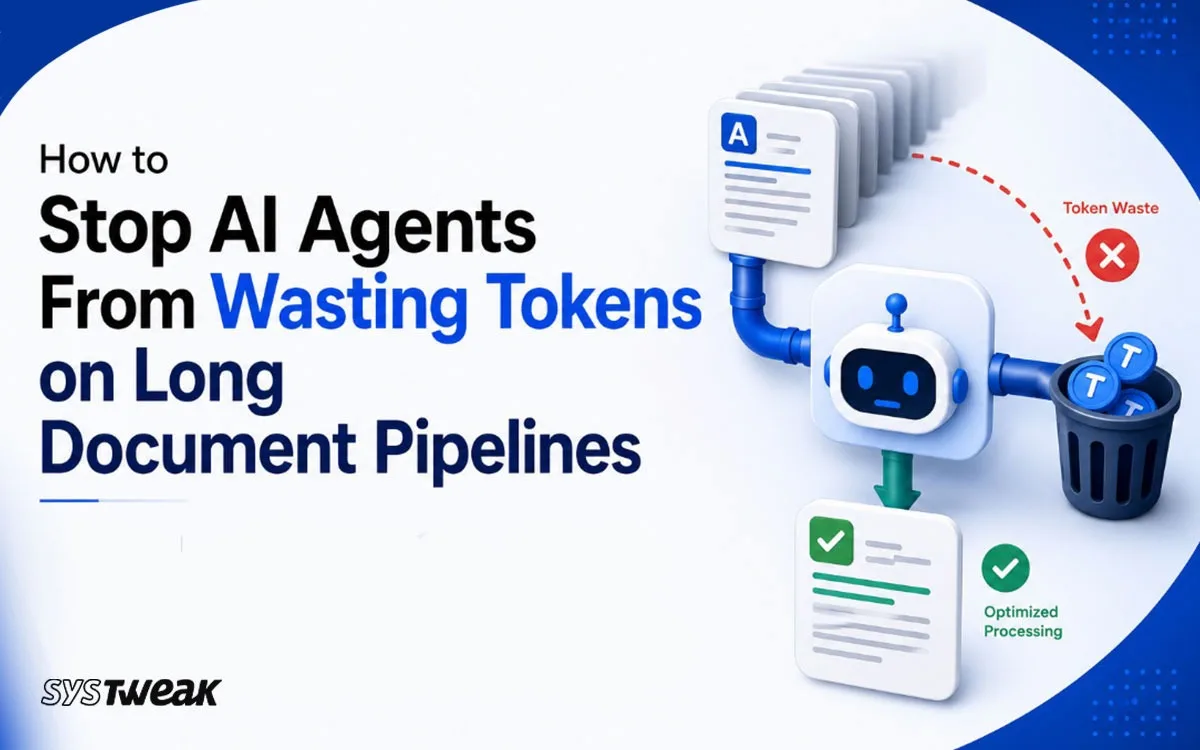
The next thing I learned by watching token use: the real waste is re-reading big files you have already processed. So before reading a file, the agent makes a SHA-256 “fingerprint” of it with a shell command. This reads the file from disk but does not load it into the model, so it costs no tokens.
If the fingerprint matches one it already finished, it skips reading the file – even if the file is a copy under a different name. I use one kind of fingerprint everywhere (SHA-256); mixing types causes wrong “this changed” guesses and needless re-reads.
Fixed file names, and skip if already done
My outputs live in version control, so I stopped numbering them. Each step writes one fixed file name and overwrites it, which removed a lot of “which file is the latest?” confusion. I also save the output’s fingerprint and a “done” mark in the index. On the next run the agent checks: does the file exist, is it marked done, does the fingerprint match, and did no source change? If yes, it does nothing and exits.
Keep the cache and reuse it next time
The scratch files are not throwaway. They are a cache I keep on disk, each one holding the finished work for a single source file. So when a standard changes, or I add a new file to the specs, the agent does not start over. It reuses the cached work for every file that did not change and redoes only the changed or new file, plus the final merge. A full, expensive run becomes a small, cheap one – the cache pays for itself from the second run onward.
The prompt and state lessons
One straight prompt per agent
My first prompt had branches: if you are agent A do this, if B do that, this rule beats that one. It confused the models. I split it into three straight prompts, one per step – a baseline draft, then a full extraction, then a final merge. Same words, just one clear path each. Models follow a straight list of steps far better than a tree of rules.
One place for state, not two
While fixing things, I added the new index but left the old big-file rules in. Now the prompt told the agent to keep two sources of truth, and it did not know which to trust. The fix was to give each store one job: the index and the scratch files hold the detailed state, while a tiny state file holds only a short note and one line – RUN_STATUS: COMPLETE – that a loop can check for.
Check what the AI wrote, not just that it ran
The worst bug of the day was not in the plumbing. The model wrote a rule like “you MUST reject anything longer than 64 characters.” I checked the real standard with Claude: the standard says 64 is the smallest size you must accept. Longer values do happen, and you should not set a hard limit. The model had turned a floor into a wall – a “reject if longer” rule would throw away valid records, and it even clashed with its own nearby rules.
Be able to repair the state by hand
Later, a run hit a usage limit and stopped between saving its state and updating its index, so the index was one step behind. Left alone, the next run would redo that step and make duplicates. Because the state was small, clear JSON, I opened it, saw where the two disagreed, fixed the index by hand, and checked it with jq in under a minute. That is the real payoff: you can read the state, understand it, and fix it.
The result: seconds instead of hours
Put it all together – real tools instead of scripts, a small JSON cache, a scratch folder of small files, fingerprints, and skip-if-done – and the whole pipeline feels different. When I re-run a spec that has not changed, the agent checks the cache, sees the work is done and the files still match, and finishes in seconds. The same run used to take hours, because it started over and re-read everything every time.
A brand-new spec still takes real work. But it no longer wastes time re-reading files it has already handled, and it no longer loses progress when a run stops. My usage limit lasts much longer now.
A note on cost
- Prompt size barely matters. A large prompt is fine and gets cached. Rewriting a working prompt to save space is a bad trade – keep it stable so the cache keeps working.
- Do not reload the same helper files every turn. Load only the few skills and plugins you need, once. Re-reading the same setup each turn is pure waste.
- Match thinking effort to the step. Use light reasoning on simple steps and save heavy effort for the hard one. Max effort on everything just makes it slow.
What I would tell anyone doing this
- Give the agent real command-line tools so it stops writing scripts to search and edit files.
- Keep the map (a small JSON cache) apart from the content (small scratch files). Never rewrite a giant file each turn.
- Fingerprint a file before reading it. It is free and cuts the biggest cost.
- Use fixed file names and skip-if-done, so loops do not redo work.
- One straight prompt per agent. No branches.
- One place for state. Do not run two at once.
- Check the AI’s output against the real source.
- Keep state small and readable so you can fix it by hand.
None of this is fancy. It is mostly plain discipline about where data lives and when it moves – and that discipline is what turns a shaky demo into something you can leave running. I got there faster by pairing with Claude: I brought the odd logs, and Claude helped find the cause and catch the new mistakes I kept adding.